Morning! 😃 ☕️
Every time you make an account, something behind the screen looks at your password and decides: weak, medium, or strong.
This week, you're going to be that something. You'll learn one small, real Python function - check_password() - that reads a password and returns exactly that verdict.
Here's how the week works: today you see the whole function. Each morning after, a few lines quietly disappear. By Friday only the bones are left and you fill in the rest from memory. No flashcards, no drills - you just keep the function.
In today's email...
-
🐍 Day 1: The full function - read it, run it, start locking it in
-
💭 What it does, line by line, in plain English
-
🔍 A trace of one real password all the way through
-
☕ Meet Ada - she runs your code so you can watch it work
THE FUNCTION 🐍
def check_password(password):
    if len(password) < 8:
        return "Weak"
    has_number = False
    for char in password:
        if char.isdigit():
            has_number = True
    if has_number:
        return "Strong"
    return "Medium"
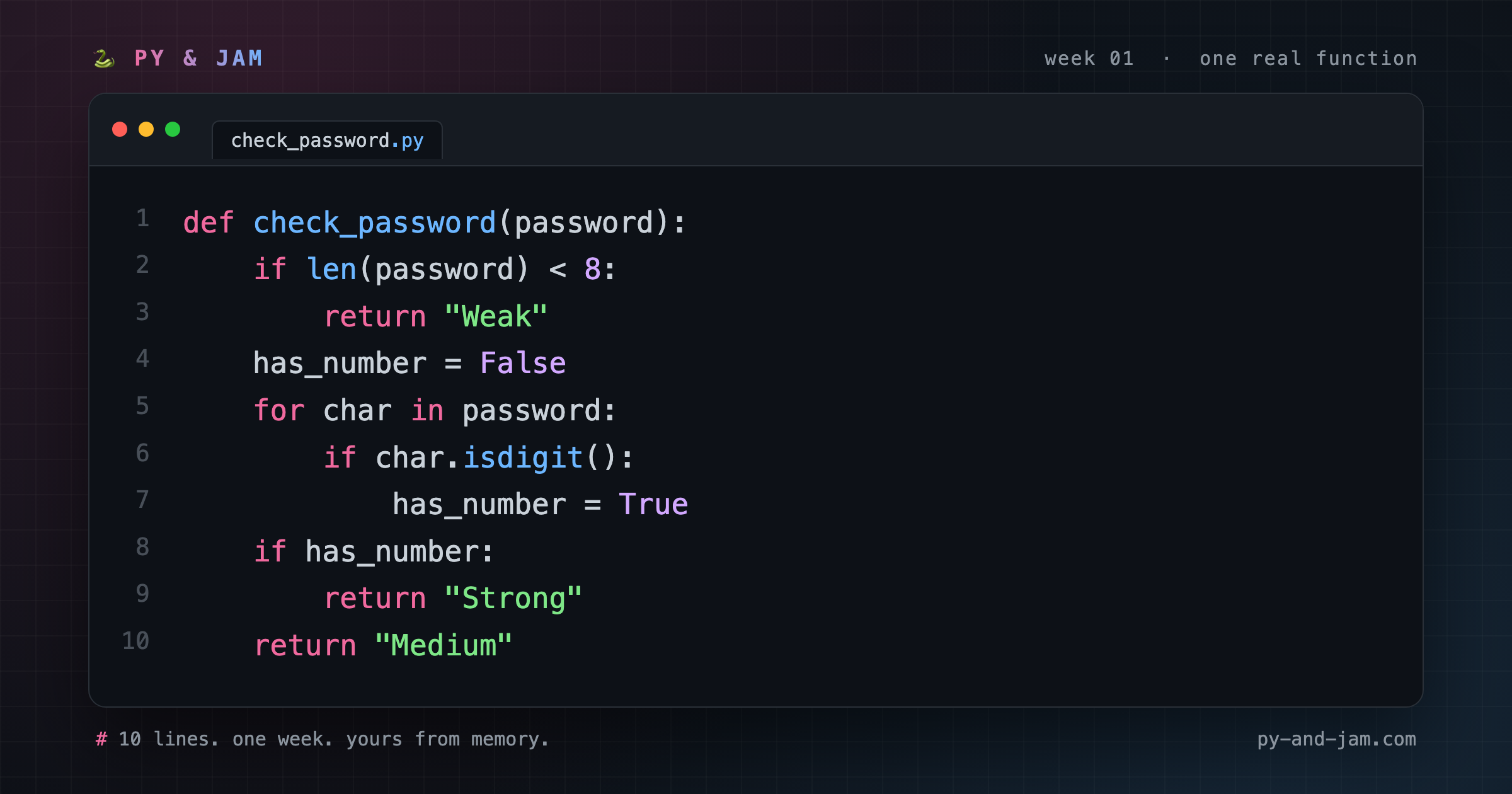
Ten lines. That's the whole week. Keep this card - the line numbers on it are the ones we'll use every morning.
TODAY'S LINE 💭
Nothing is blanked yet - so today let's walk the whole flow once, top to bottom.
def check_password(password): gives the function a name and says "hand me a password to look at."
The first check is a shortcut: if len(password) < 8: asks "is it shorter than 8 characters?" If so, it's "Weak" - and return stops the function right there. Nothing else needs to run.
If it survives that, we look for a number. has_number = False starts with the assumption "no digits yet." Then for char in password: walks through the password one character at a time, and if char.isdigit(): flips has_number to True the moment it finds one.
At the end, the verdict: if the password had a number, it's "Strong"; if it got this far without one, it's "Medium".
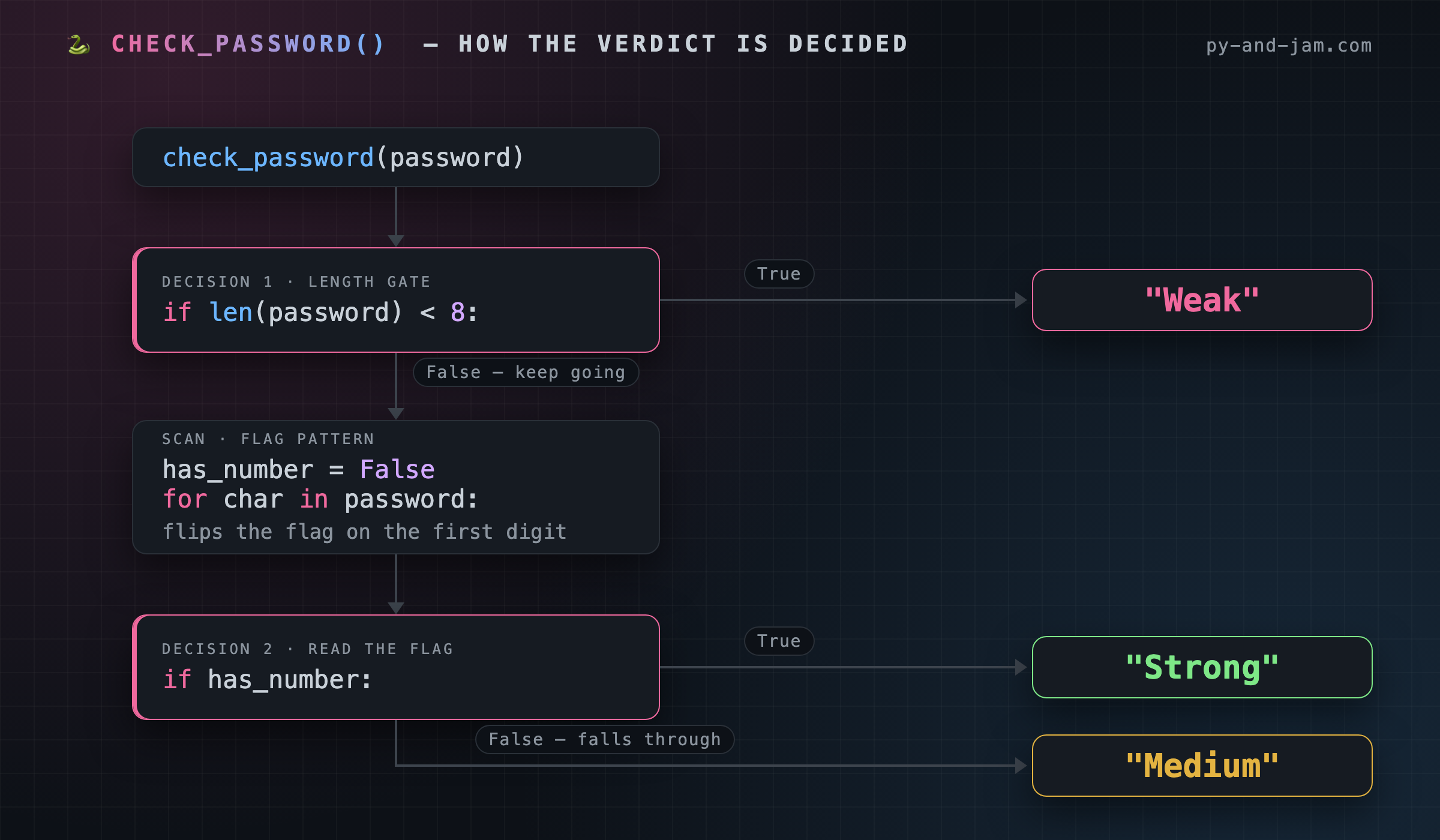
Short password → Weak. Long with a number → Strong. Long without → Medium. That's the whole idea.
TRACE IT 🔍
Reading a function top to bottom is one thing. Watching a single password fall through it is another. Here's "Sunrise7", step by step:
-
Line 2
len("Sunrise7")is8. Is8 < 8? No. So line 3 never runs, and we keep going. -
Line 4
has_numberis set toFalse. Nothing has been found yet. -
Line 5 the loop starts handing us characters:
S,u,n,r,i,s,e,7. -
Line 6-7 for the first seven characters,
char.isdigit()isFalse, so nothing changes. On the eighth,charis"7"-isdigit()isTrue, andhas_numberbecomesTrue. -
Line 8 the loop is done.
has_numberisTrue, so we take the branch. -
Line 9
return "Strong". Done.
Now the same function, three different passwords:
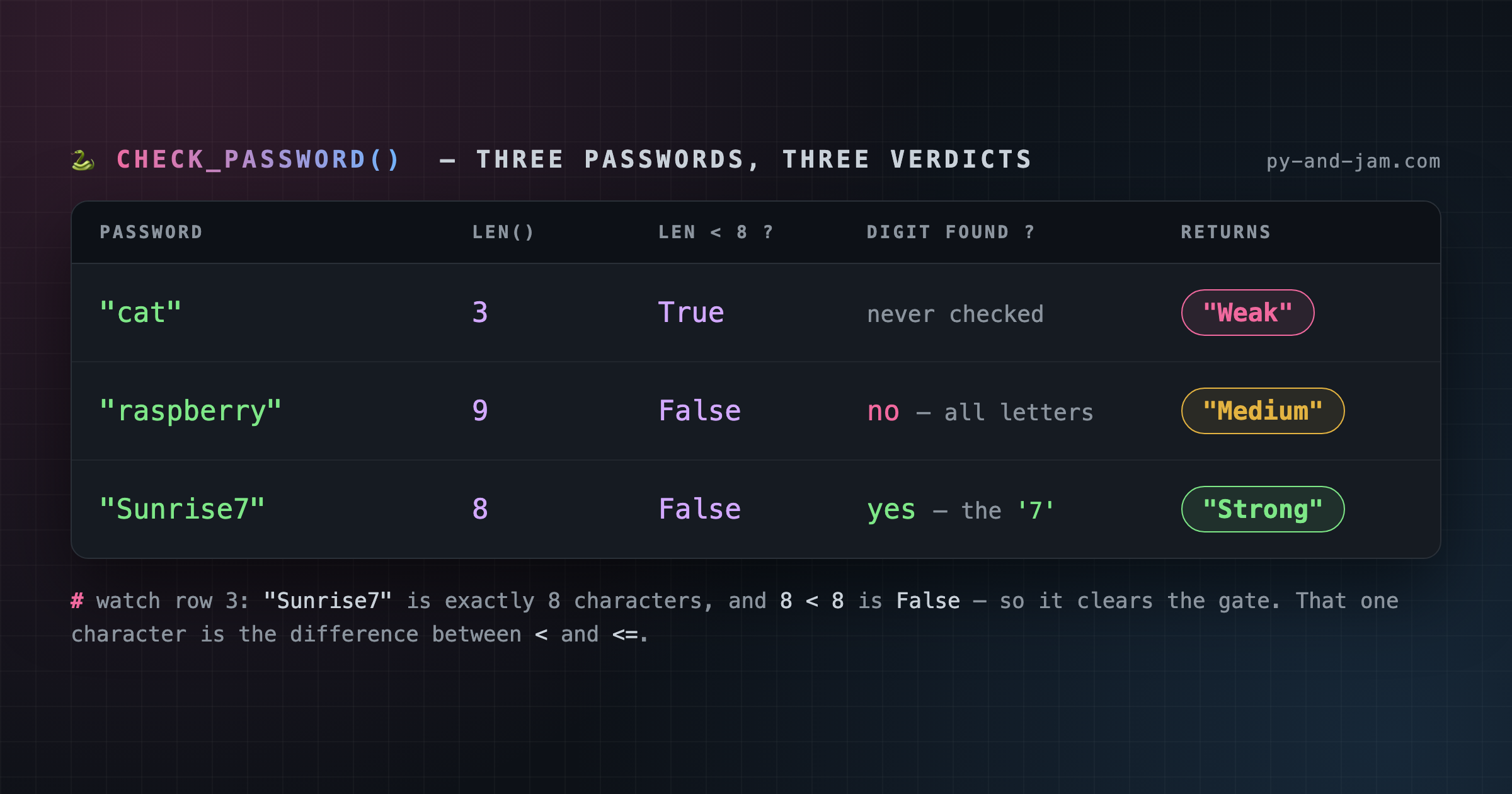
Notice "Sunrise7" in that last row. It's exactly 8 characters, and 8 < 8 is False - so it clears the gate by one character. That's the difference between < and <=, and it's the kind of detail that decides whether real code works.
COMMON BUG 🐛
The single most common beginner slip in a function like this is forgetting the word return:
def check_password(password):
    if len(password) < 8:
        "Weak"
That line makes the string "Weak" and then throws it away. A Python function that never hits a return hands back None - so your caller gets nothing, silently. If your function seems to "do nothing," check your returns first.
WHY IT MATTERS 🧠
This tiny function is the shape of almost all validation code: guard, gather, decide. Guard against the obvious failure and bail early. Gather information by walking the data. Decide at the end.
You'll write that shape again for email addresses, uploaded files, form inputs, API payloads - everywhere.
WITH ADA ☕
Reading code is good. Running it is when it clicks.
Meet Ada, your companion over at py-and-jam.com. Paste this function in and she'll run it for you - no setup, no installing anything - so you can watch it actually work.
Try it on three passwords: something short, your real one, and something long with a number in it. Watch the verdict change.
LEVEL UP 🚀 Once it runs, try making the length a setting instead of a hard-coded 8:
def check_password(password, min_length=8):
    if len(password) < min_length:
        return "Weak"
Now check_password("cat") still works, and check_password("cat", 2) gets a different answer.
ANSWER KEY ✅
Blanked today: none - Day 1 is always the full function.
def check_password(password):
    if len(password) < 8:
        return "Weak"
    has_number = False
    for char in password:
        if char.isdigit():
            has_number = True
    if has_number:
        return "Strong"
    return "Medium"
See you tomorrow - the first lines start disappearing. 🐍 The Py & Jam Team
There's a better way to learn.
Py & Jam delivers one memorable disappearing function to your inbox daily. It’s a simple, effective way to build fluency without the frustration.